LEDEdit Pro 2026: A New LED Video Editor for SD-Card Controllers
Meet LEDEdit Pro 2026: a Windows LED video editor with a multi-layer timeline, DXF layout tools, live preview and .led export for SD-card controllers.
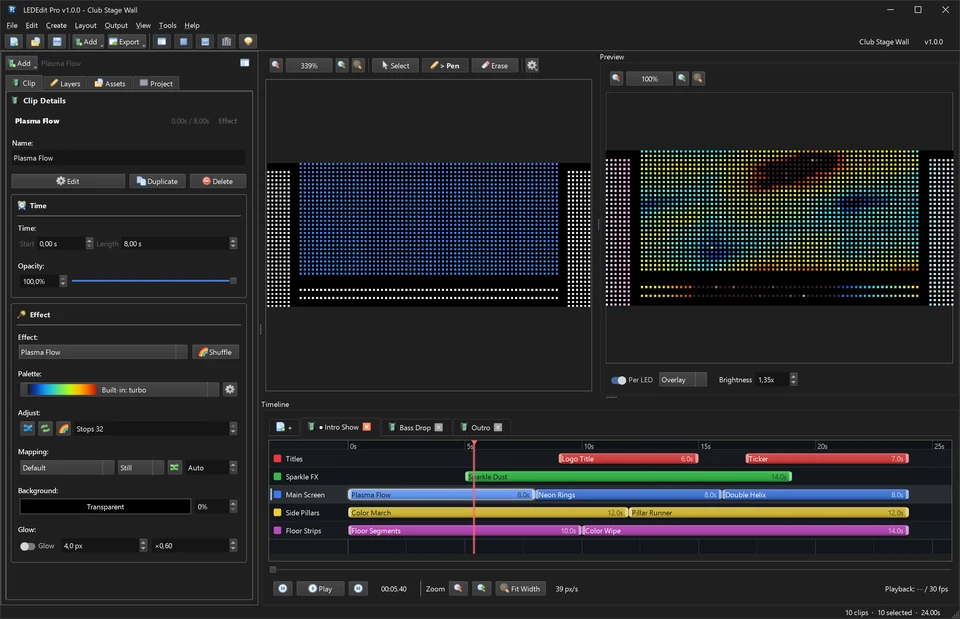
Table of Contents
LEDEdit Pro 2026 is a new Windows LED video editor for people building shows for SD-card LED controllers. It brings LED layout design, a multi-layer timeline, live per-pixel preview and controller export into one application, so a project can move from an empty layout to a controller-ready .led file without switching between several tools.
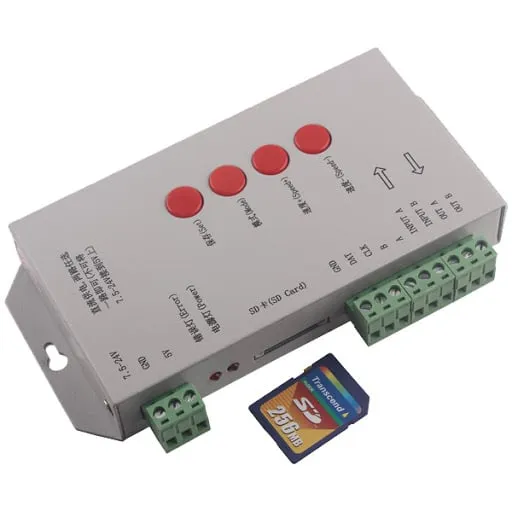
It is designed for the controller families commonly used with LEDEdit installations, including T-1000, T-2000, K-1000, K-1000C, T-8000 and K-8000 hardware. If you already use an older LEDEdit workflow, the new editor is intended to make show-building and export easier while keeping your existing controller hardware in play.
What is new in LEDEdit Pro 2026?
The central change is a project-based workflow. Instead of preparing a layout in one place and effects or video in another, you can work on a visual timeline with scenes and layers. Add effect, text, image and video clips, then arrange them over the areas of your LED layout that should play them.
The current release includes:
- 151 LED effects and 149 colour palettes
- Export support for 19 controller families and 334 chip or IC types
- LED Layout Creator with DXF import and export
- Per-LED live preview, including brightness adjustment and LED-only viewing
.ledSD-card export with an export preflight- A 64-bit Windows interface available in seven languages
These are practical tools rather than separate add-ons. The same project can hold the layout, the scenes, the clips and the output settings.
Build a show on a multi-layer timeline
Scenes let you divide a show into sections such as an intro, a main loop and an outro. Within each scene, layers can hold effects, scrolling text, images or video clips. This makes it easier to control what plays on different regions of a wall, sign or installation.
The timeline includes everyday editing controls such as snapping, zoom-to-fit, copy, paste, duplicate and undo. Before export, use the preview to scrub through the timeline or play it back against the LED positions in your layout.
For a step-by-step view of the workflow, see the LEDEdit Pro 2026 feature tour.
Map LEDs before you export
Correct mapping is often the difficult part of an LED project. The LED Layout Creator uses a millimetre grid so you can place LEDs according to the physical installation, then wire them as serpentine, linear or manual runs. It also shows the LED count for each controller port against the controller limit.
Existing LEDEdit DXF layouts can be imported, edited and exported again. The built-in Layout Check is useful before an export because it highlights layout issues while they are still easy to correct.
Tip: Keep a copy of the DXF layout with every finished project. It gives you a reusable starting point when the installation changes or you need a second version of the show.
Preview every pixel and export for your controller
The live preview samples each frame onto the positions in the layout, rather than showing only a generic video rectangle. That makes it easier to spot a wrong port, a missing section or a colour-order issue before writing files to an SD card.
When the show is ready, choose the controller family and chip type, then export a LEDEdit .led package. The export preflight lists the scenes, frame rate, ports and LED count before it writes anything. The application also includes tools for DMX address configuration, time schedules, Q12 settings and firmware packages.
LEDEdit Pro 2026 supports controller families including T-1000/T-2000, K-1000/K-1000C, K-8000/T-8000, T-4000, the T1K/T2K/T4K/T8K-U range, DMX512 and monochrome controllers. WS2811 and WS2812B are among the supported chip types.
License, system requirements and older software
LEDEdit Pro 2026 is sold as a one-time €199 + VAT purchase through Gumroad. The license is perpetual and includes free updates; it is not a subscription. You need a 64-bit Windows PC and an internet connection to activate the software with your license key and receipt email.
The older free LEDEdit installers remain available for legacy setups. Browse our LEDEdit software downloads if you need an earlier version, or read the LED controller guides before setting up a new project.
Is LEDEdit Pro 2026 right for your project?
Choose LEDEdit Pro 2026 when you want to design the LED layout, build a multi-scene show, preview the actual pixels and prepare SD-card output in one Windows workflow. It is particularly useful for signs, architectural pixels, stage walls and controller-based installations where layout accuracy matters as much as the visual content.
Visit lededit.pro to see the full feature list, the 90-second workflow demo and the supported controller families. If you need ready-made SWF and AVI content for older LEDEdit workflows, explore the Pixel LED Effects Pack.