LED Troubleshooting Guide: Fix Common Problems & Issues
Complete LED troubleshooting guide 2024! Fix flickering LEDs, controller issues, software problems, connection errors, and hardware failures. Step-by-step solutions for T-1000S, K-1000C, K-8000C, LEDedit, and Pixel LED Animator.
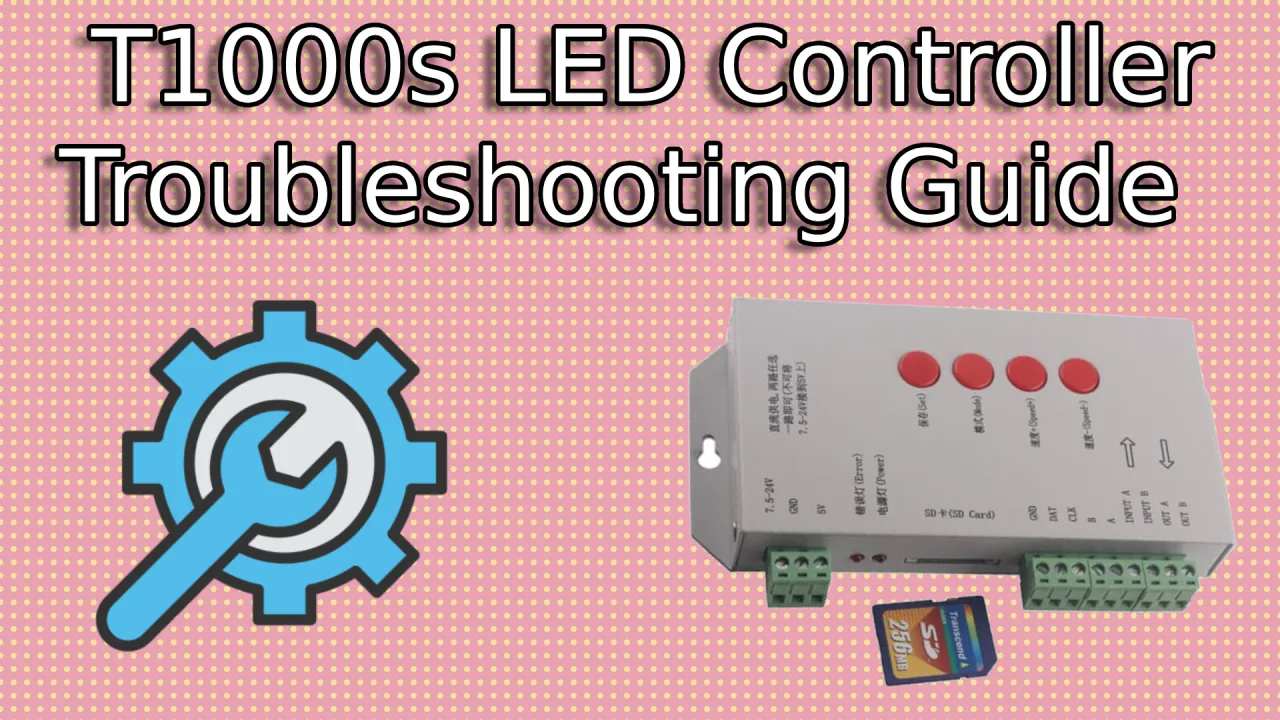
Table of Contents
LED Troubleshooting Guide 2024: Fix Common Problems & Issues
LED installations can sometimes encounter problems, but most issues have simple solutions. This comprehensive 2024 troubleshooting guide covers the most common LED problems with step-by-step fixes for hardware, software, and programming issues. Whether you’re dealing with flickering LEDs, controller failures, or software crashes, you’ll find the solution here.
Quick Problem Diagnosis Guide
Symptom-Based Troubleshooting
LEDs Not Lighting Up At All
Possible Causes:
- Power supply failure
- Incorrect voltage settings
- Loose or damaged connections
- Controller malfunction
Quick Fixes:
- Check power supply voltage and amperage
- Verify all cable connections are secure
- Test controller with known working LEDs
- Replace power supply if voltage is incorrect
LEDs Flickering or Glitching
Possible Causes:
- Power supply instability
- Data signal interference
- Incorrect timing settings
- Controller overload
Quick Fixes:
- Add power injection every 5 meters
- Check data cable length and quality
- Reduce LED density or effect complexity
- Use shielded cables for data lines
Color Display Issues
Possible Causes:
- Wrong color order (RGB vs GRB)
- Chip type mismatch
- Software color settings
- LED degradation
Quick Fixes:
- Verify LED chip type in software
- Check color order settings
- Test with simple color patterns
- Replace faulty LED sections
Controller Connection Problems
Possible Causes:
- USB driver issues
- WiFi connectivity problems
- Firmware version conflicts
- Hardware failure
Quick Fixes:
- Reinstall USB drivers
- Reset WiFi connection settings
- Update firmware to latest version
- Test with different USB port/cable
Hardware Troubleshooting
Power Supply Issues
Symptoms of Power Problems
- LEDs dimming randomly
- Complete power loss
- Overheating components
- Inconsistent brightness
Power Supply Testing
Voltage Measurement
- Use multimeter to check output voltage
- Verify voltage stability under load
- Check for voltage drops during operation
Current Capacity
- Calculate total current draw
- Ensure power supply exceeds requirements by 20%
- Check for power supply overload indicators
Power Injection Points
- Install power injection every 5 meters for strips
- Use appropriate gauge wires (18-22 AWG)
- Verify injection voltage matches LED requirements
Common Power Supply Fixes
- Insufficient Capacity: Upgrade to higher amperage supply
- Voltage Instability: Add voltage regulator or stabilizer
- Cable Resistance: Use shorter or thicker cables
- Grounding Issues: Ensure proper earth grounding
LED Strip and Panel Problems
Physical LED Damage
Identification:
- Individual LEDs not lighting
- Color shifts in specific areas
- Complete section failure
- Heat damage on LED chips
Repair Solutions:
Individual LED Replacement
- Cut out damaged section
- Solder replacement LED with correct orientation
- Test continuity before powering
Section Replacement
- Identify failure boundaries
- Replace entire affected segment
- Verify chip type compatibility
Connection Issues
Common Problems:
- Loose solder joints
- Corroded contacts
- Bent connector pins
- Incorrect wiring polarity
Fixing Connections:
Soldering Repairs
- Clean surfaces thoroughly
- Apply flux and fresh solder
- Use temperature-controlled iron (300-350°C)
Connector Problems
- Clean contacts with isopropyl alcohol
- Replace damaged connectors
- Verify pin alignment and insertion
Controller Hardware Issues
T-1000S Controller Problems
Boot Failures
- No Power LED: Check power connections and fuse
- No Response: Reset controller by power cycling
- Firmware Corruption: Re-flash firmware using USB
Data Transmission Issues
- LEDs Not Responding: Check data cable connections
- Partial Display: Verify data signal integrity
- Timing Errors: Reset controller settings
K-1000C WiFi Controller Issues
WiFi Connectivity Problems
- Cannot Connect: Reset network settings via app
- Unstable Connection: Move closer to router or use WiFi extender
- Authentication Failure: Verify WiFi credentials and security type
Mobile App Issues
- App Won’t Connect: Update app to latest version
- Controller Not Found: Reset controller network settings
- Command Delays: Check WiFi signal strength
K-8000C Professional Issues
Network Problems
- Ethernet Connection: Verify cable and switch settings
- IP Configuration: Check static IP assignment
- Firewall Issues: Configure network security settings
Performance Issues
- Slow Response: Check system resources and cooling
- Memory Errors: Clear temporary files and restart
- Synchronization Loss: Verify master-slave configuration
Software Troubleshooting
LEDedit Software Issues
Installation Problems
Common Errors:
- Driver Installation Failed: Run installer as administrator
- Compatibility Issues: Check Windows version compatibility
- Antivirus Blocking: Add exceptions for LEDedit files
Installation Fixes:
Clean Installation
- Uninstall previous versions completely
- Clean registry entries
- Restart computer before reinstalling
Driver Issues
- Download latest drivers from official site
- Install in compatibility mode if needed
- Verify digital signatures
Programming Errors
Effect Upload Failures
- File Too Large: Compress or split large effect files
- Format Incompatibility: Convert to supported formats
- Memory Full: Clear controller memory before upload
Configuration Problems
- Wrong Controller Type: Verify controller model selection
- Incorrect LED Settings: Double-check pixel count and chip type
- Timing Conflicts: Reset timing parameters to defaults
Pixel LED Animator Issues
Performance Problems
Slow Rendering
- System Resources: Close other applications
- Hardware Acceleration: Enable GPU acceleration
- Preview Settings: Reduce preview resolution
Export Failures
- File Format Issues: Choose supported export formats
- Codec Problems: Install required video codecs
- Storage Space: Ensure sufficient disk space
Compatibility Issues
Software Conflicts
- Antivirus Interference: Add Pixel LED Animator to exceptions
- Driver Conflicts: Update graphics drivers
- Windows Updates: Check for system compatibility
General Software Solutions
Update Procedures
- Check Current Version: Compare with latest release
- Backup Settings: Save current configurations
- Download Updates: From official sources only
- Clean Install: Remove old version before updating
Configuration Reset
- Software Settings: Reset to factory defaults
- Controller Settings: Perform hard reset
- Network Settings: Clear WiFi configurations
Programming and Effects Issues
Effect Playback Problems
Timing Issues
Effects Running Too Fast/Slow
- Frame Rate Settings: Adjust FPS in software
- Controller Clock: Sync system time
- File Corruption: Re-export effect files
Synchronization Problems
- Multi-Controller Sync: Verify master-slave setup
- Network Delays: Check latency and bandwidth
- Clock Drift: Implement NTP synchronization
Visual Quality Issues
Color Inaccuracies
- Color Profile: Calibrate display colors
- LED Degradation: Replace aging LEDs
- Temperature Effects: Account for color shifts with heat
Flickering and Artifacts
- Power Stability: Add filtering capacitors
- Signal Interference: Use shielded cables
- PWM Frequency: Adjust LED refresh rate
File and Data Issues
Corrupted Files
Recovery Methods
- Backup Files: Restore from recent backups
- File Repair: Use file repair utilities
- Re-export: Recreate from source files
Format Compatibility
- Conversion Tools: Use proper file converters
- Codec Support: Install required codecs
- Version Compatibility: Update software versions
Network and Connectivity Issues
WiFi Connection Problems
Signal Strength Issues
- Weak Signal: Move controller closer to router
- Interference: Change WiFi channel
- Range Extenders: Add WiFi boosters if needed
Security Configuration
- WPA Settings: Verify encryption type compatibility
- Password Issues: Reset WiFi credentials
- MAC Filtering: Add controller to allowed devices
Ethernet Network Issues
Physical Connection
- Cable Quality: Use Cat5e or better cables
- Connector Damage: Replace faulty RJ45 connectors
- Switch Configuration: Verify network switch settings
Network Configuration
- IP Address Conflicts: Check for duplicate IPs
- Subnet Mask: Verify network configuration
- Gateway Settings: Confirm router settings
Remote Access Problems
Mobile App Connectivity
- App Updates: Ensure latest app version
- Device Compatibility: Check supported Android/iOS versions
- Bluetooth Issues: Reset Bluetooth connection
Web Interface Access
- Browser Compatibility: Use supported browsers
- Firewall Settings: Allow controller IP address
- Port Configuration: Verify web server ports
Environmental and Installation Issues
Temperature-Related Problems
Overheating Issues
Causes:
- Insufficient ventilation
- High ambient temperature
- Excessive current draw
- Poor heat dissipation
Solutions:
- Improve air circulation
- Add cooling fans
- Reduce LED density
- Use heat-resistant components
Cold Weather Problems
Symptoms:
- Reduced brightness
- Color shifts
- Startup delays
- Component failures
Prevention:
- Use weatherproof enclosures
- Add heating elements
- Choose cold-resistant LEDs
- Implement thermal management
Environmental Interference
Electromagnetic Interference (EMI)
Sources:
- Nearby power lines
- Radio frequency devices
- Electric motors
- Fluorescent lighting
Mitigation:
- Use shielded cables
- Install ferrite cores
- Maintain distance from interference sources
- Ground all equipment properly
Light Pollution
Issues:
- Ambient light washout
- Reduced contrast
- Color perception changes
Solutions:
- Increase LED brightness
- Improve viewing angles
- Use anti-reflective coatings
- Optimize installation location
Advanced Diagnostic Tools
Hardware Testing Equipment
Multimeter Usage
- Voltage Testing: Check power supply outputs
- Continuity Testing: Verify cable connections
- Resistance Measurement: Test LED and component values
- Current Draw: Monitor power consumption
Oscilloscope Applications
- Signal Analysis: Check data signal integrity
- Timing Verification: Measure signal timing
- Noise Detection: Identify interference sources
- Waveform Analysis: Verify signal quality
Software Diagnostic Tools
LEDedit Diagnostic Features
- Controller Communication: Test USB/WiFi links
- LED Testing: Individual pixel verification
- Performance Monitoring: Real-time status display
- Error Logging: Detailed problem tracking
System Monitoring Tools
- Network Analyzers: WiFi signal strength testing
- Performance Monitors: System resource tracking
- Temperature Sensors: Heat monitoring
- Power Quality Meters: Electrical parameter measurement
Preventive Maintenance
Regular Maintenance Schedule
Daily Checks
- Visual inspection for obvious problems
- Basic functionality testing
- Clean dust from accessible areas
- Verify power and data connections
Weekly Maintenance
- Detailed visual inspection
- Performance verification
- Software updates check
- Backup current configurations
Monthly Maintenance
- Deep cleaning procedures
- Component testing
- Calibration verification
- Documentation updates
Long-Term Care
Component Lifespan
- LED Lifespan: 50,000-100,000 hours typical
- Controller Lifespan: 5-10 years with proper care
- Power Supply: 3-5 years depending on usage
- Cabling: 5-10 years if properly maintained
Upgrade Planning
- Monitor technology advancements
- Plan component replacement schedule
- Budget for future upgrades
- Maintain compatibility requirements
Professional Support Resources
Manufacturer Support
Official Support Channels
- Technical Documentation: User manuals and guides
- Firmware Updates: Latest software releases
- Warranty Services: Repair and replacement options
- Training Resources: Professional development materials
Community Resources
- User Forums: Peer support and problem solving
- Online Communities: LED enthusiast groups
- Social Media: Real-time support channels
- Video Tutorials: Visual troubleshooting guides
Professional Services
Service Options
- On-Site Support: Local technician assistance
- Remote Diagnostics: Online troubleshooting sessions
- Contract Maintenance: Regular service agreements
- Training Programs: Professional development courses
Choosing Service Providers
- Certification: Verify technician qualifications
- Experience: Check relevant project history
- Response Time: Evaluate service availability
- Cost Structure: Understand pricing and billing
Common LED Project Mistakes
Design Phase Errors
Planning Mistakes
- Insufficient Power Calculation: Underestimating current requirements
- Poor Cable Planning: Inadequate wire sizing and routing
- Location Selection: Ignoring environmental factors
- Budget Constraints: Cutting corners on quality components
Specification Errors
- Wrong LED Type: Mismatched chip types and requirements
- Inadequate Brightness: Insufficient nits for application
- Viewing Angle Issues: Poor visibility from intended positions
- Maintenance Access: Difficult service and repair access
Installation Phase Problems
Hardware Issues
- Improper Mounting: Insecure or damaging installation methods
- Cable Management: Poor wire routing and protection
- Grounding Problems: Missing or inadequate earth connections
- Ventilation Issues: Poor airflow causing overheating
Configuration Errors
- Wrong Settings: Incorrect controller or software parameters
- Timing Problems: Poor synchronization between components
- Network Setup: Improper WiFi or Ethernet configuration
- Security Issues: Weak passwords and open access points
Future-Proofing Your LED System
Technology Evolution
Staying Current
- Regular Updates: Keep software and firmware current
- Hardware Monitoring: Track component performance
- Backup Strategies: Maintain current configuration backups
- Documentation: Keep detailed system records
Upgrade Planning
- Component Compatibility: Plan for future expansions
- Scalability: Design for increased capacity
- Technology Trends: Monitor industry developments
- Budget Allocation: Reserve funds for future upgrades
System Monitoring
Automated Monitoring
- Performance Tracking: Real-time system health
- Error Logging: Automatic problem detection
- Alert Systems: Proactive notifications
- Trend Analysis: Predictive maintenance
Manual Monitoring
- Regular Inspections: Scheduled physical checks
- Performance Testing: Periodic functionality verification
- Calibration Checks: Ongoing accuracy verification
- Documentation Updates: Current system records
Conclusion: Mastering LED Troubleshooting
LED troubleshooting requires systematic approach and understanding of both hardware and software components. By following this comprehensive guide, you can diagnose and fix most LED problems efficiently.
Remember that prevention is better than cure - regular maintenance, proper installation, and quality components will minimize future issues. When problems do occur, use this guide as your first resource for quick and effective solutions.
Still having LED problems? Check our detailed LED Controllers guides or LED Software tutorials for more specific troubleshooting help.