LED Effects Creation Guide: Professional SWF, AVI & Real-Time Effects
Master LED effects creation in 2024! Comprehensive guide to SWF animations, AVI videos, real-time effects, and professional techniques for stunning LED displays and installations.
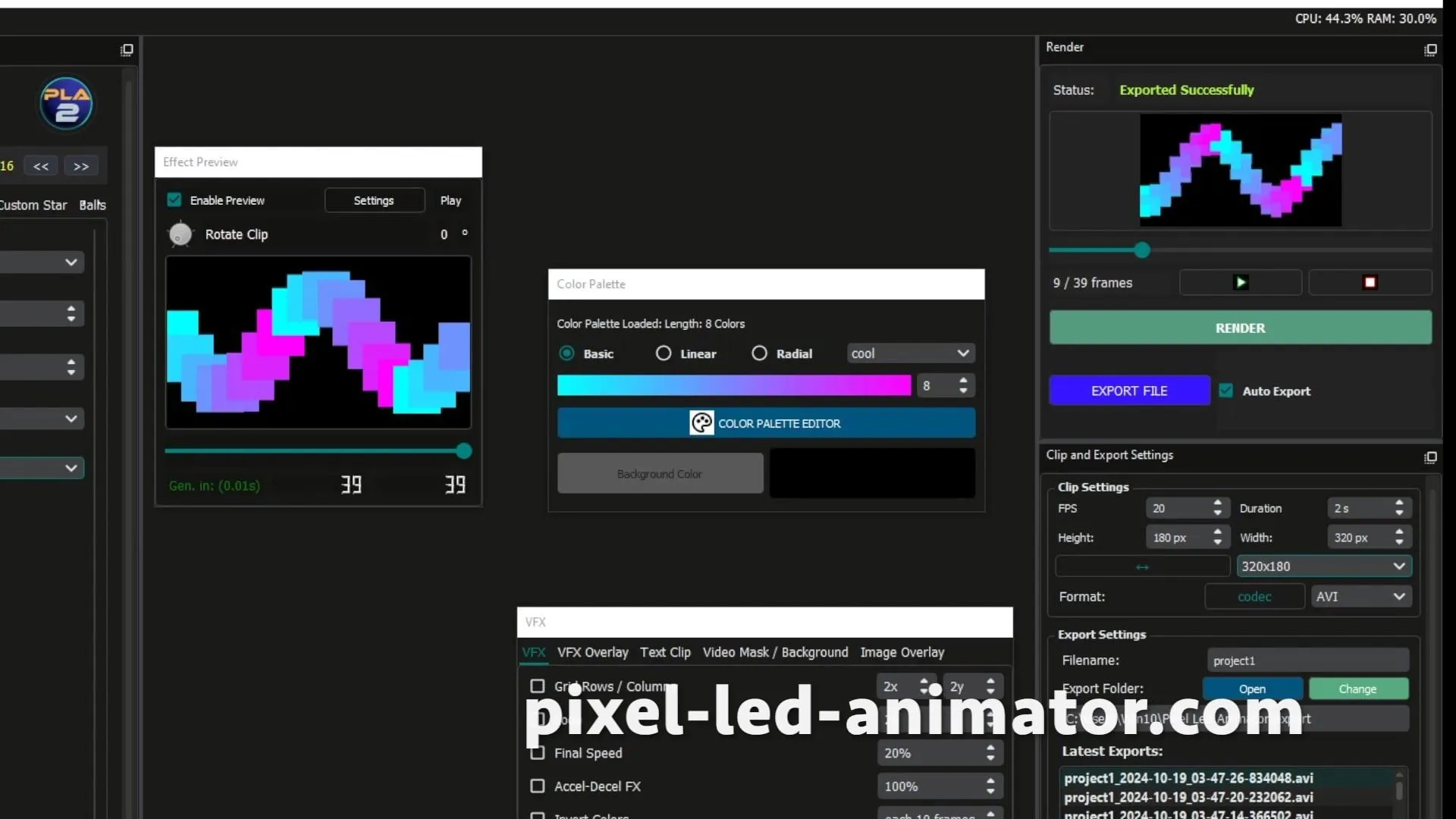
Table of Contents
LED Effects Creation Guide 2024: Professional SWF, AVI & Real-Time Effects
Transform ordinary LED displays into extraordinary visual spectacles with our comprehensive 2024 effects creation guide. From classic SWF animations to cutting-edge real-time effects, learn professional techniques that will elevate your LED programming skills and create stunning visual experiences.
Understanding LED Effects Fundamentals
The Psychology of LED Effects
LED effects aren’t just about technical execution - they’re about creating emotional connections. Understanding how viewers perceive and react to visual stimuli is crucial for professional effects creation.
Color Psychology in LED Design
- Red Effects: Energy, passion, urgency - perfect for entertainment and alerts
- Blue Effects: Calm, trust, professionalism - ideal for corporate and medical environments
- Green Effects: Growth, harmony, freshness - excellent for nature and wellness themes
- Yellow/Orange: Warmth, happiness, creativity - great for welcoming and artistic displays
- Purple Effects: Luxury, mystery, spirituality - suited for premium brands and events
Timing and Rhythm
- Fast Effects: Excitement, energy, urgency (1-5 second cycles)
- Medium Effects: Engagement, focus, contemplation (5-15 second cycles)
- Slow Effects: Relaxation, elegance, permanence (15+ second cycles)
Technical Foundations
LED Resolution and Density
- Low Density: 64-128 LEDs/m² - Suitable for large-scale architectural effects
- Medium Density: 256-512 LEDs/m² - Ideal for commercial displays and medium venues
- High Density: 1024-2048 LEDs/m² - Perfect for close-viewing applications and fine details
Frame Rate Considerations
- 30 FPS: Standard for most LED effects, smooth for human perception
- 60 FPS: Professional applications requiring fluid motion
- 120 FPS: High-end entertainment and gaming applications
- Variable FPS: Adaptive frame rates based on effect complexity
SWF Effects: Classic Animation Techniques
SWF Animation Fundamentals
SWF (Shockwave Flash) effects remain a cornerstone of LED programming due to their compact file sizes and smooth playback.
Creating Basic SWF Effects
Step 1: Design Concept
- Define your effect’s purpose and audience
- Sketch visual flow and timing
- Consider LED display constraints
Step 2: Timeline Creation
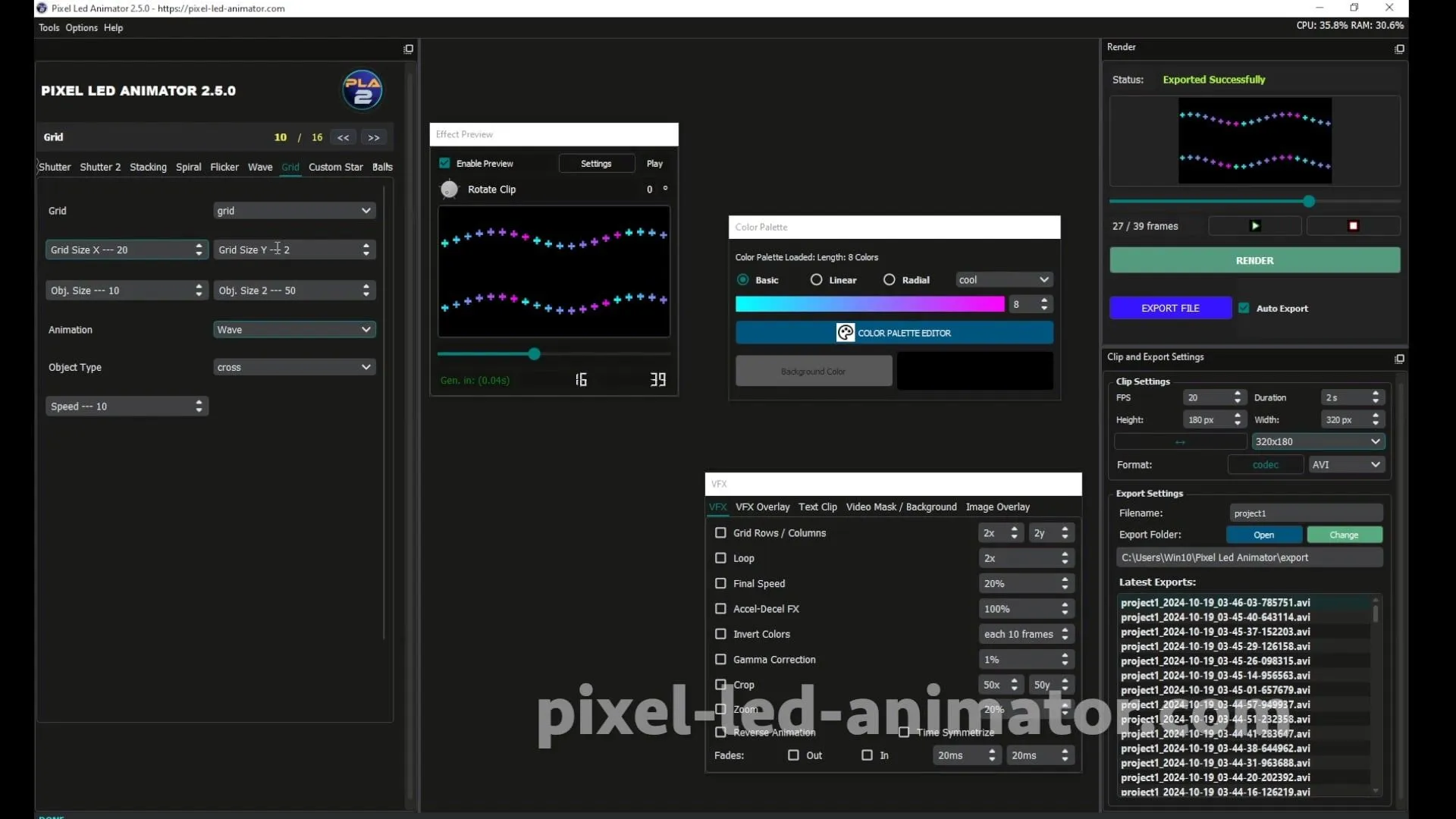
- Use Pixel LED Animator 3 for professional SWF creation
- Set keyframe intervals for smooth transitions
- Optimize animation length for seamless looping
Step 3: Color and Motion
- Apply color theory principles
- Implement smooth motion curves
- Add subtle variations for visual interest
Advanced SWF Techniques
Layer-Based Animation
| |
Masking and Compositing
- Use alpha channels for transparency effects
- Combine multiple SWF files for complex scenes
- Implement dynamic masking for reveal effects
Professional SWF Creation Workflow
Using Pixel LED Animator 3
Interface Navigation
- Pattern Designer: Intuitive drawing tools for LED layouts
- Effect Library: 200+ pre-built effects as starting points
- Timeline Editor: Precise control over animation timing
- Export Options: Multiple formats including SWF, AVI, GIF
Real-Time Preview Features
- Instant visual feedback during creation
- Hardware-accurate simulation
- Performance optimization indicators
- Color accuracy verification
LEDedit Integration
Importing SWF Effects
- Compatible with LEDedit 2014 and 2024 versions
- Automatic scaling to LED matrix dimensions
- Timing synchronization with other effects
- Memory optimization for smooth playback
AVI Effects: High-Quality Video Content
AVI Video Effects Creation
AVI (Audio Video Interleave) effects offer superior quality for complex animations and video-based content.
Video-to-LED Conversion Process
Source Material Preparation
- Resolution: Match or exceed LED matrix dimensions
- Frame Rate: 30fps minimum for smooth playback
- Color Depth: 24-bit true color for maximum fidelity
- Codec Selection: H.264 for optimal compression vs quality
LED-Specific Optimization
- Color Correction: Adjust for LED color temperature
- Brightness Compensation: Account for viewing environment
- Aspect Ratio: Optimize for LED panel configurations
- File Size: Balance quality with playback performance
Professional AVI Creation Tools
Pixel LED Animator 3 Advanced Features
Video Import and Processing
- Support for MP4, MOV, AVI source files
- Automatic frame extraction and optimization
- Color palette adaptation for LED displays
- Motion blur reduction for crisp playback
Advanced Effect Application
- Particle Systems: Realistic fireworks and starfield effects
- 3D Perspective: Depth simulation on 2D surfaces
- Procedural Generation: Algorithmic pattern creation
- Audio Synchronization: Beat-reactive animations
After Effects Integration
LED-Optimized Workflow
- Pre-comping: Organize complex compositions
- Null Objects: Control LED-specific parameters
- Expressions: Automate repetitive animations
- Render Settings: Optimize for LED playback
Real-Time Effects: Interactive and Dynamic
Real-Time Effect Categories
Sensor-Driven Effects
Motion Detection
- Proximity sensors trigger effect changes
- Gesture recognition for interactive displays
- Crowd movement pattern analysis
- Security and safety integrations
Environmental Sensors
- Light sensors for day/night adaptation
- Temperature-responsive color shifts
- Humidity detection for weather effects
- Air quality visualization
Music Synchronization
Audio Analysis Techniques
- FFT Analysis: Frequency domain processing
- Beat Detection: Rhythm-based effect triggering
- Volume Levels: Intensity modulation
- Spectral Centroid: Brightness and color mapping
Implementation Methods
- Real-time signal processing
- Hardware-accelerated computation
- Low-latency audio interfaces
- Professional audio equipment integration
Interactive Effects
User Interaction
- Touch-sensitive LED panels
- Mobile app control interfaces
- Social media integration
- Multi-user collaborative effects
Real-Time Programming Approaches
Jinx! LED Matrix for Real-Time Control
Live Programming Features
- Scripting Engine: Real-time effect modification
- MIDI Integration: Musical instrument control
- OSC Support: Network-based control systems
- DMX Interface: Professional lighting console integration
Hardware Considerations
Processing Requirements
- CPU: Multi-core processors for complex calculations
- RAM: Minimum 8GB for smooth real-time operation
- GPU: Hardware acceleration for graphics-intensive effects
- Network: Low-latency connectivity for remote control
Advanced Effects Creation Techniques
Layer-Based Composition
Multi-Layer Effects Architecture
Base Layer (Background)
- Static or slowly changing patterns
- Environmental context setting
- Brand color schemes
- Architectural integration
Content Layer (Primary Effects)
- Main animation elements
- Informational content
- Interactive components
- Time-sensitive messaging
Accent Layer (Highlights)
- Special effects and flourishes
- Attention-grabbing elements
- Brand signature animations
- Call-to-action indicators
Color Management and Calibration
LED Color Accuracy
Calibration Process
- White Balance: Consistent color temperature
- Gamma Correction: Proper brightness curves
- Color Profiling: Accurate color reproduction
- Uniformity Testing: Consistent brightness across panels
Color Space Optimization
LED Color Capabilities
- RGB Color Space: Standard red, green, blue
- RGBW Systems: Enhanced white and color mixing
- High CRI LEDs: Improved color rendering
- Quantum Dot LEDs: Superior color accuracy
Performance Optimization
File Size Management
Compression Techniques
- Lossless Compression: Maintain quality while reducing size
- Efficient Formats: Choose appropriate file types
- Streaming Optimization: Progressive loading techniques
- Cache Management: Memory-efficient playback
Playback Performance
Hardware Acceleration
- GPU Processing: Graphics card optimization
- Multi-threading: Parallel processing capabilities
- Memory Management: Efficient resource utilization
- Power Optimization: Balanced performance and consumption
Industry-Specific Effects Applications
Architectural Lighting Effects
Building Façade Animation
Design Considerations
- Scale: Massive installations requiring coordinated effects
- Visibility: Daytime and nighttime optimization
- Content: Brand messaging and artistic expression
- Integration: Existing building infrastructure
Professional Techniques
- Pixel Mapping: Precise LED positioning on complex surfaces
- Perspective Correction: Accurate representation on curved surfaces
- Weather Protection: Effects that work in all conditions
- Energy Efficiency: Low-power operation for extended runtimes
Entertainment Industry Effects
Concert Lighting Design
Performance Requirements
- Real-Time Control: Live manipulation during shows
- Synchronization: Precise timing with music and performers
- Scalability: Effects that work for intimate venues to stadiums
- Reliability: Zero-failure operation during performances
Advanced Features
- Audience Interaction: Crowd-synchronized effects
- Performer Tracking: Automated follow-spot functionality
- Set Integration: Lighting that enhances stage design
- Broadcast Quality: Effects that work on television
Commercial Display Effects
Retail Environment Animation
Marketing Objectives
- Attention Capture: Effects that stop and engage customers
- Brand Communication: Visual storytelling for products
- Sales Conversion: Effects that drive purchasing decisions
- Customer Experience: Memorable and positive interactions
Technical Implementation
- Dynamic Pricing: Real-time price display effects
- Product Highlighting: Focused attention on featured items
- Seasonal Themes: Holiday and promotional animations
- Interactive Elements: Touch and gesture responses
Effects Creation Software Comparison
Professional Software Tools
| Software | Primary Use | Key Features | Cost |
|---|---|---|---|
| Pixel LED Animator 3 | Effect Creation | 200+ effects, real-time preview, multi-format export | Professional |
| LEDedit 2024 | Programming | Remote management, timing functions, controller support | Free |
| Jinx! LED Matrix | Real-Time Control | Live scripting, MIDI integration, matrix support | Free/Pro |
| xLights | Show Sequencing | DMX support, network synchronization, effect library | Free |
| After Effects | Video Effects | Advanced compositing, motion graphics, LED optimization | Subscription |
Software Integration Strategies
Workflow Optimization
- File Format Compatibility: Seamless data exchange between tools
- Version Control: Managing effect revisions and updates
- Collaboration Tools: Team-based effect development
- Asset Management: Organized effect libraries and templates
Quality Assurance and Testing
Effects Testing Protocols
Hardware Testing
- Controller Compatibility: Verify on target hardware
- Display Calibration: Ensure color and brightness accuracy
- Playback Stability: Test for dropped frames and artifacts
- Power Consumption: Verify electrical requirements
Content Quality Control
- Visual Inspection: Professional review of effect quality
- Performance Metrics: Frame rate, file size, memory usage
- Cross-Platform Testing: Verify on different LED systems
- User Acceptance: Client approval and feedback integration
Performance Monitoring
Real-Time Analytics
- Frame Rate Monitoring: Ensure consistent playback
- Temperature Tracking: Prevent overheating issues
- Error Logging: Capture and analyze system issues
- Usage Statistics: Track effect popularity and performance
Future Trends in LED Effects
Emerging Technologies
AI-Generated Effects
- Machine Learning: Automated effect creation from descriptions
- Style Transfer: Applying artistic styles to LED animations
- Predictive Animation: Anticipating user preferences
- Adaptive Content: Effects that learn and evolve
Advanced Hardware
- Micro-LED Technology: Higher density, better color accuracy
- Flexible OLED Panels: Curved and flexible display surfaces
- Transparent LEDs: See-through display capabilities
- Holographic Integration: True 3D visual effects
Industry Evolution
Sustainability Focus
- Energy-Efficient Effects: Lower power consumption designs
- Recycling Programs: Sustainable material usage
- Longevity Optimization: Extended product lifecycles
- Environmental Integration: Nature-inspired effects
Interactive Experiences
- Augmented Reality: AR-enhanced LED experiences
- Virtual Reality: VR integration with LED environments
- Mixed Reality: Blending physical and digital worlds
- Social Integration: Community-driven effect creation
Professional Development
Skills and Knowledge
Technical Competencies
- Software Proficiency: Master multiple LED programming tools
- Hardware Understanding: Deep knowledge of LED systems
- Creative Vision: Artistic direction and design principles
- Project Management: Timeline and resource coordination
Creative Abilities
- Visual Design: Composition and color theory expertise
- Animation Principles: Motion, timing, and storytelling
- Technical Innovation: Pushing boundaries of LED capabilities
- Client Communication: Translating requirements into visual solutions
Career Opportunities
Professional Roles
- LED Effects Designer: Creative effect development
- Technical Director: Project technical leadership
- Content Creator: Effect library development
- Installation Specialist: On-site implementation
- Consultant: Strategic LED solutions
Industry Sectors
- Entertainment: Concerts, theater, events
- Architecture: Building design, urban planning
- Retail: Commercial displays, branding
- Corporate: Office environments, lobbies
- Education: Museums, learning institutions
Conclusion: Mastering LED Effects Creation
LED effects creation in 2024 represents the intersection of technology, art, and psychology. By mastering SWF animations, AVI video effects, and real-time interactive experiences, you can create visual spectacles that captivate audiences and elevate brands.
The future of LED effects is bright, with AI-driven creation tools, advanced hardware capabilities, and immersive interactive experiences on the horizon. Start your journey today by exploring professional software tools and building a portfolio of stunning LED effects.
Ready to create professional LED effects? Explore our LED Effects tutorials and LED Software tools to start your effects creation journey.