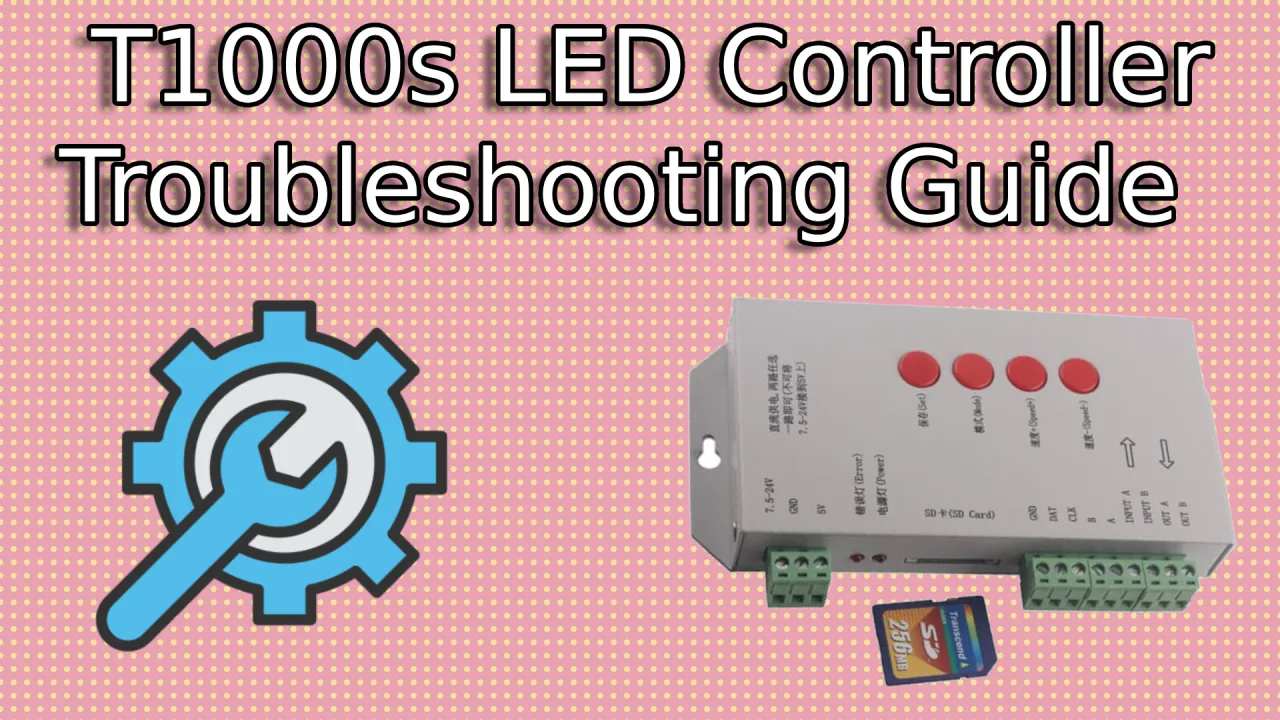
Advanced LED Troubleshooting Guide: Complete Solutions for Controllers, Software & Hardware Issues
Advanced LED troubleshooting guide 2024! Complete solutions for T-1000S, K-1000C, K-8000C controllers, LEDEdit 2024, Pixel LED Animator issues. Professional diagnostic techniques and fixes.

Table of Contents
Advanced LED Troubleshooting Guide 2024: Complete Solutions for Controllers, Software & Hardware Issues
Master advanced LED troubleshooting with this comprehensive 2024 guide. From controller diagnostics and software optimization to hardware repair techniques, learn professional methods to resolve the most complex LED display issues. Whether you’re a technician, installer, or advanced user, this guide provides the diagnostic tools and solutions you need.
Advanced Diagnostic Methodology
Systematic Troubleshooting Framework
Step 1: Problem Classification
Categorize the Issue:
- Hardware Failure: Physical component malfunction
- Software Error: Programming or application issues
- Configuration Problem: Incorrect settings or setup
- Environmental Factor: External conditions affecting performance
- Power-Related: Electrical supply or distribution issues
Step 2: Data Collection
Gather Essential Information:
- System Configuration: Controller model, LED type, power setup
- Error Messages: Exact text and context of any displayed errors
- Symptom Timeline: When issue started, frequency, patterns
- Recent Changes: Software updates, hardware modifications, environmental changes
- Environmental Data: Temperature, humidity, electrical interference
Step 3: Controlled Testing
Isolate Variables:
- Component Isolation: Test each subsystem independently
- Clean Boot: Start with minimal configuration
- Incremental Addition: Add components one at a time
- Environmental Control: Test in controlled conditions
- Comparison Testing: Compare with known working systems
Professional Diagnostic Tools
Hardware Testing Equipment
Multimeter Applications:
- Voltage Testing: Check power supply rails and LED voltages
- Continuity Testing: Verify cable connections and signal paths
- Resistance Measurement: Test LED strips and power distribution
- Current Draw Analysis: Monitor power consumption patterns
Oscilloscope Usage:
- Signal Integrity: Analyze data signal quality and timing
- Power Quality: Check for voltage ripple and noise
- Frequency Analysis: Verify PWM frequencies and modulation
- Interference Detection: Identify electromagnetic interference sources
Software Diagnostic Utilities
LEDEdit Diagnostic Tools:
- Controller Communication Test: Verify USB/WiFi connectivity
- LED Pixel Testing: Individual pixel functionality verification
- Performance Monitoring: Real-time system health tracking
- Error Log Analysis: Detailed problem tracking and reporting
System Monitoring Software:
- Network Analyzers: WiFi signal strength and interference testing
- Power Quality Meters: Electrical parameter monitoring
- Temperature Sensors: Component thermal monitoring
- Performance Profilers: System resource utilization tracking
Controller-Specific Troubleshooting
T-1000S Advanced Diagnostics
Firmware-Related Issues
Boot Loop Problems:
- Symptoms: Controller continuously restarts
- Causes: Corrupted firmware, power supply instability
- Solutions:
- Reset to factory firmware via USB bootloader
- Update power supply capacitors if voltage unstable
- Replace controller if multiple reset attempts fail
Memory Corruption:
- Symptoms: Effects play incorrectly, settings lost
- Causes: Power interruption during write operations
- Solutions:
- Use UPS for stable power during programming
- Format and re-upload all effects
- Replace controller memory chip if persistent
Data Transmission Issues
Signal Degradation:
- Symptoms: LEDs flickering, colors incorrect, partial display
- Causes: Long cable runs, poor connections, interference
- Advanced Fixes:
- Install signal amplifiers every 10 meters
- Use shielded twisted-pair cables
- Implement proper grounding techniques
- Test with oscilloscope for signal integrity
Timing Synchronization:
- Symptoms: Effects out of sync, stuttering playback
- Causes: Clock drift, interrupt conflicts, bus contention
- Professional Solutions:
- Synchronize with external NTP server
- Adjust interrupt priorities in firmware
- Implement hardware timing locks
- Use dedicated timing controllers for large installations
K-1000C WiFi Controller Advanced Issues
Network Connectivity Problems
WiFi Signal Instability:
- Symptoms: Dropped connections, slow uploads, intermittent control
- Causes: Interference, range limitations, network congestion
- Enterprise Solutions:
- Implement WiFi mesh network for coverage
- Use 5GHz band for reduced interference
- Install signal boosters and directional antennas
- Set up dedicated SSID for LED controllers
Security Configuration Issues:
- Symptoms: Authentication failures, connection blocks
- Causes: WPA3 compatibility, firewall rules, MAC filtering
- Advanced Fixes:
- Update controller firmware for latest security protocols
- Configure enterprise WiFi authentication
- Set up VPN for remote management
- Implement certificate-based authentication
Mobile App Synchronization
Bluetooth Pairing Problems:
- Symptoms: App won’t connect, pairing failures
- Causes: Interference, firmware mismatches, app cache issues
- Professional Troubleshooting:
- Clear app cache and reinstall
- Reset Bluetooth module on controller
- Update mobile device OS
- Test with multiple devices for isolation
Cloud Service Issues:
- Symptoms: Sync failures, missing effects, account errors
- Causes: API changes, service outages, authentication problems
- Enterprise Solutions:
- Implement local cloud backup
- Set up redundant cloud services
- Configure offline synchronization
- Monitor API status and implement fallbacks
K-8000C Professional Controller Issues
Multi-Controller Synchronization
Timing Drift Problems:
- Symptoms: Displays going out of sync over time
- Causes: Clock differences, network latency, power variations
- Advanced Solutions:
- Implement GPS-based synchronization
- Use PTP (Precision Time Protocol) over Ethernet
- Deploy atomic clock references
- Monitor and auto-correct timing deviations
Load Balancing Issues:
- Symptoms: Uneven performance, some controllers overloaded
- Causes: Improper distribution, resource contention
- Professional Fixes:
- Implement intelligent load distribution algorithms
- Monitor controller utilization in real-time
- Deploy redundant controllers for failover
- Optimize effect distribution across controllers
High-Performance System Issues
Thermal Management:
- Symptoms: Overheating, performance degradation, shutdowns
- Causes: Inadequate cooling, high ambient temperatures
- Enterprise Solutions:
- Install liquid cooling systems
- Implement thermal monitoring and alerts
- Deploy redundant cooling systems
- Use thermal modeling for optimal placement
Power Distribution:
- Symptoms: Voltage drops, current imbalances, system instability
- Causes: Insufficient power infrastructure, cable resistance
- Advanced Fixes:
- Implement distributed power architecture
- Use high-capacity DC-DC converters
- Deploy power monitoring and auto-balancing
- Install uninterruptible power supplies (UPS)
Software Optimization and Repair
LEDEdit 2024 Performance Tuning
Memory Management Optimization
Large Project Handling:
- Symptoms: Slow performance, crashes with complex projects
- Causes: Memory fragmentation, inefficient resource usage
- Professional Solutions:
- Increase virtual memory allocation
- Defragment project files regularly
- Use external RAM drives for caching
- Implement project modularization
Real-Time Preview Issues:
- Symptoms: Laggy preview, inaccurate representation
- Causes: GPU limitations, driver conflicts, resource constraints
- Advanced Fixes:
- Update GPU drivers to latest versions
- Allocate dedicated GPU memory
- Reduce preview resolution for complex effects
- Use hardware acceleration settings
Effect Processing Optimization
Complex Effect Rendering:
- Symptoms: Long export times, quality degradation
- Causes: Algorithm inefficiencies, resource limitations
- Professional Techniques:
- Pre-render complex elements
- Use GPU-accelerated rendering
- Implement multi-threaded processing
- Optimize effect parameters for performance
Batch Processing Issues:
- Symptoms: Failed batch operations, inconsistent results
- Causes: File conflicts, resource exhaustion, timing issues
- Enterprise Solutions:
- Implement queuing systems
- Use distributed processing
- Monitor and log batch operations
- Implement retry mechanisms with backoff
Pixel LED Animator Advanced Troubleshooting
Rendering Pipeline Issues
GPU Acceleration Problems:
- Symptoms: Software crashes, slow performance, visual artifacts
- Causes: Driver conflicts, hardware incompatibility, memory issues
- Professional Fixes:
- Roll back GPU drivers to stable versions
- Disable hardware acceleration for troubleshooting
- Update DirectX and OpenGL libraries
- Test with different GPU configurations
Memory Leak Diagnosis:
- Symptoms: Performance degradation over time, eventual crashes
- Causes: Resource not properly released, circular references
- Advanced Solutions:
- Monitor memory usage with diagnostic tools
- Implement memory profiling in development
- Use memory leak detection utilities
- Optimize object lifecycle management
Effect Creation Issues
Complex Animation Problems:
- Symptoms: Effects not rendering correctly, timing issues
- Causes: Parameter conflicts, resource limitations, algorithm errors
- Professional Debugging:
- Use effect validation tools
- Implement step-by-step debugging
- Log animation parameters and states
- Compare with known working effects
Export Format Issues:
- Symptoms: Failed exports, corrupted files, compatibility problems
- Causes: Codec issues, format limitations, resource constraints
- Enterprise Solutions:
- Test exports with multiple codecs
- Implement format validation
- Use professional encoding software
- Verify target system compatibility
Hardware Component Analysis
LED Strip and Panel Failure Analysis
Manufacturing Defects
LED Chip Failures:
- Symptoms: Dead pixels, color shifts, brightness variations
- Causes: Manufacturing defects, thermal stress, electrical overstress
- Professional Diagnosis:
- Use thermal imaging for hot spots
- Test individual LED junctions
- Analyze failure patterns for root causes
- Implement quality control procedures
Solder Joint Issues:
- Symptoms: Intermittent connections, complete failures
- Causes: Cold solder joints, thermal cycling, mechanical stress
- Advanced Repair Techniques:
- X-ray inspection for hidden joints
- Reflow soldering with controlled profiles
- Implement conformal coating for protection
- Use strain relief for cable connections
Environmental Degradation
Moisture Ingress:
- Symptoms: Corrosion, electrical shorts, performance degradation
- Causes: Humidity, condensation, water exposure
- Professional Solutions:
- Implement hermetic sealing
- Use moisture-resistant materials
- Deploy desiccant systems
- Monitor humidity levels continuously
UV Degradation:
- Symptoms: Color fading, material breakdown, reduced lifespan
- Causes: Sunlight exposure, UV lamp proximity
- Advanced Protection:
- Apply UV-resistant coatings
- Use UV-stabilized materials
- Implement protective enclosures
- Monitor UV exposure levels
Power System Advanced Troubleshooting
Power Supply Failure Analysis
Capacitor Degradation:
- Symptoms: Ripple voltage, instability, premature failure
- Causes: Age, temperature, electrical stress
- Professional Diagnosis:
- ESR (Equivalent Series Resistance) testing
- Capacitance measurement under load
- Thermal imaging for hot capacitors
- Implement preventive replacement schedules
Voltage Regulation Issues:
- Symptoms: Output voltage variations, load regulation problems
- Causes: Feedback loop failures, component aging
- Advanced Fixes:
- Implement active voltage monitoring
- Use programmable power supplies
- Deploy redundant regulation systems
- Monitor and log voltage stability
Power Distribution Issues
Ground Loop Problems:
- Symptoms: Noise, interference, system instability
- Causes: Multiple ground paths, improper grounding
- Professional Solutions:
- Implement single-point grounding
- Use isolation transformers
- Deploy optical isolation for signals
- Monitor ground potential differences
Current Imbalance:
- Symptoms: Uneven LED brightness, power supply overload
- Causes: Cable resistance, connection issues, LED variations
- Advanced Diagnostics:
- Current measurement at each LED string
- Voltage drop analysis along power lines
- Implement current balancing circuits
- Use programmable current sources
Network and Connectivity Issues
Advanced WiFi Troubleshooting
Signal Quality Analysis
RF Interference Diagnosis:
- Symptoms: Connection drops, slow data rates, packet loss
- Causes: Microwave ovens, cordless phones, neighboring networks
- Professional Tools:
- Spectrum analyzers for interference detection
- WiFi analyzers for channel optimization
- Packet capture for detailed analysis
- Implement frequency hopping techniques
Range Extension Solutions:
- Symptoms: Weak signals, dead zones, unreliable connections
- Causes: Distance, obstacles, antenna orientation
- Enterprise Solutions:
- Deploy WiFi mesh systems
- Use high-gain directional antennas
- Implement power amplifiers
- Set up repeater networks
Ethernet Network Optimization
Bandwidth and Latency Issues
Network Congestion:
- Symptoms: Slow uploads, delayed responses, synchronization issues
- Causes: High traffic, insufficient bandwidth, network loops
- Professional Solutions:
- Implement Quality of Service (QoS)
- Use dedicated VLANs for LED traffic
- Deploy network segmentation
- Monitor and analyze network traffic
Cable Infrastructure Problems:
- Symptoms: Data corruption, intermittent connections, speed limitations
- Causes: Cable damage, improper termination, EMI interference
- Advanced Diagnostics:
- Cable certification testing
- Time Domain Reflectometry (TDR)
- Optical Time Domain Reflectometry for fiber
- Implement redundant cable paths
Firmware and Update Issues
Firmware Update Procedures
Safe Update Protocols
Backup and Recovery:
- Pre-Update Procedures: Backup current configuration and effects
- Recovery Options: Bootloader access for failed updates
- Version Control: Track firmware versions across controllers
- Rollback Capabilities: Return to previous stable versions
Update Deployment Strategies:
- Staged Rollouts: Update controllers in phases
- Automated Updates: Schedule updates during maintenance windows
- Version Compatibility: Ensure software compatibility with new firmware
- Testing Protocols: Validate updates in staging environments
Firmware Corruption Recovery
Bootloader Access:
- Symptoms: Controller won’t boot, stuck in recovery mode
- Causes: Interrupted updates, corrupted flash memory
- Professional Recovery:
- Use JTAG interface for direct programming
- Implement chip-level programming
- Replace flash memory chips if necessary
- Restore from golden master images
Version Compatibility Issues:
- Symptoms: Features not working, software conflicts
- Causes: Mismatched versions between components
- Enterprise Solutions:
- Implement version management systems
- Use compatibility matrices for planning
- Deploy version synchronization tools
- Monitor version compliance across systems
Performance Optimization Techniques
System Resource Optimization
CPU and Memory Tuning
Process Prioritization:
- Symptoms: System slowdowns, unresponsive interfaces
- Causes: Resource contention, background processes
- Professional Solutions:
- Implement real-time process scheduling
- Optimize memory allocation algorithms
- Use CPU affinity for critical processes
- Monitor and log system resource usage
Memory Leak Prevention:
- Symptoms: Gradual performance degradation, eventual crashes
- Causes: Improper resource management, circular references
- Advanced Techniques:
- Implement garbage collection monitoring
- Use memory profiling tools
- Deploy automatic restart mechanisms
- Optimize data structure usage
GPU and Graphics Optimization
Rendering Performance:
- Symptoms: Slow previews, export delays, quality issues
- Causes: GPU limitations, driver issues, resource constraints
- Professional Optimization:
- GPU memory management tuning
- Shader optimization techniques
- Multi-GPU configurations
- Hardware acceleration settings
Display Synchronization:
- Symptoms: Tearing, stuttering, frame drops
- Causes: V-sync issues, refresh rate mismatches
- Advanced Fixes:
- Implement adaptive sync technologies
- Use high-precision timing sources
- Optimize frame buffer management
- Deploy frame rate conversion techniques
Environmental and Installation Issues
Temperature and Climate Control
Extreme Temperature Management
High-Temperature Issues:
- Symptoms: Component failure, performance degradation, shutdowns
- Causes: Inadequate cooling, high ambient temperatures
- Professional Solutions:
- Deploy advanced cooling systems
- Implement thermal monitoring networks
- Use temperature-compensated components
- Deploy redundant cooling systems
Cold Weather Problems:
- Symptoms: Startup delays, reduced performance, component damage
- Causes: Low temperatures, condensation, material contraction
- Advanced Fixes:
- Implement heated enclosures
- Use cold-resistant components
- Deploy anti-condensation systems
- Monitor and control environmental conditions
Vibration and Mechanical Stress
Structural Integrity Issues
Mounting and Vibration Problems:
- Symptoms: Loose connections, intermittent failures, physical damage
- Causes: Vibration, shock, improper mounting
- Professional Solutions:
- Implement vibration isolation systems
- Use strain relief for all connections
- Deploy shock-absorbing mounting systems
- Regular structural integrity inspections
Cable Stress Management:
- Symptoms: Broken wires, intermittent connections, signal loss
- Causes: Flexing, pulling, environmental exposure
- Advanced Techniques:
- Use flexible shielded cables
- Implement cable management systems
- Deploy strain relief devices
- Regular cable inspection and replacement
Enterprise Monitoring and Maintenance
Automated Monitoring Systems
Real-Time System Health
Sensor Networks:
- Temperature Monitoring: Component and ambient temperature tracking
- Power Quality: Voltage, current, and power factor monitoring
- Performance Metrics: Frame rates, error rates, response times
- Environmental Sensors: Humidity, vibration, air quality
Alert and Notification Systems:
- Threshold-Based Alerts: Configurable warning and critical levels
- Multi-Channel Notifications: Email, SMS, dashboard alerts
- Escalation Procedures: Automatic problem escalation
- Historical Trending: Long-term performance analysis
Predictive Maintenance
Failure Prediction Models:
- Machine Learning Algorithms: Pattern recognition for failure prediction
- Statistical Analysis: Trend analysis for component aging
- Usage-Based Monitoring: Load and usage pattern analysis
- Environmental Correlation: Weather and usage impact analysis
Maintenance Scheduling:
- Condition-Based Maintenance: Maintenance triggered by system condition
- Predictive Scheduling: Maintenance scheduled based on predictions
- Preventive Maintenance: Regular inspection and component replacement
- Documentation Systems: Comprehensive maintenance records
Professional Service and Support
Enterprise Support Structures
Tiered Support Model
Level 1 Support:
- Basic troubleshooting and user guidance
- Documentation and knowledge base access
- Common issue resolution
- User training and education
Level 2 Support:
- Advanced technical troubleshooting
- System configuration and optimization
- Performance tuning and diagnostics
- On-site support for complex issues
Level 3 Support:
- Development-level problem resolution
- Custom firmware and software development
- Hardware design and modification
- Research and advanced problem solving
Service Level Agreements (SLAs)
Response Time Commitments:
- Critical issues: 1-hour response time
- Major issues: 4-hour response time
- Minor issues: 24-hour response time
- Enhancement requests: 72-hour initial assessment
Resolution Timeframes:
- Critical issues: 4-hour resolution target
- Major issues: 24-hour resolution target
- Minor issues: 72-hour resolution target
- Complex issues: Project-based timelines
Training and Certification Programs
Technical Training Programs
System Administration Training:
- Controller configuration and management
- Network setup and optimization
- Performance monitoring and troubleshooting
- Maintenance and upgrade procedures
Advanced Troubleshooting Certification:
- Diagnostic methodology training
- Tool usage and interpretation
- Problem isolation techniques
- Resolution documentation procedures
Specialized Certifications:
- Hardware repair and maintenance
- Software development and customization
- System integration and architecture
- Project management and coordination
Conclusion: Mastering Advanced LED Troubleshooting
Advanced LED troubleshooting requires a systematic approach, professional tools, and deep technical knowledge. By following the methodologies and solutions in this comprehensive guide, you can diagnose and resolve even the most complex LED system issues.
Remember that successful troubleshooting combines technical expertise with methodical problem-solving. Document your findings, maintain detailed records, and continuously update your knowledge as LED technology evolves.
The key to effective LED system maintenance is prevention through monitoring, regular maintenance, and proactive problem resolution. Implement the monitoring and maintenance strategies outlined in this guide to minimize downtime and ensure optimal system performance.
Need more advanced LED troubleshooting help? Check our LED Controllers guides and LEDEdit Tutorials for additional technical resources.